 Convert Once
Currency converter for travellers
Type the
price once.
Live exchange rates for 152 countries, and they keep working when the signal doesn't. Then the surprise: the number you typed is also a temperature, a distance and a weight — every unit answers at the same time, so you never pick a mode first.
 Download on the App Store ↗
iPhone and iPad · iOS 18 or later
One payment, after a two-week free trial. No subscription, no ads, no account.
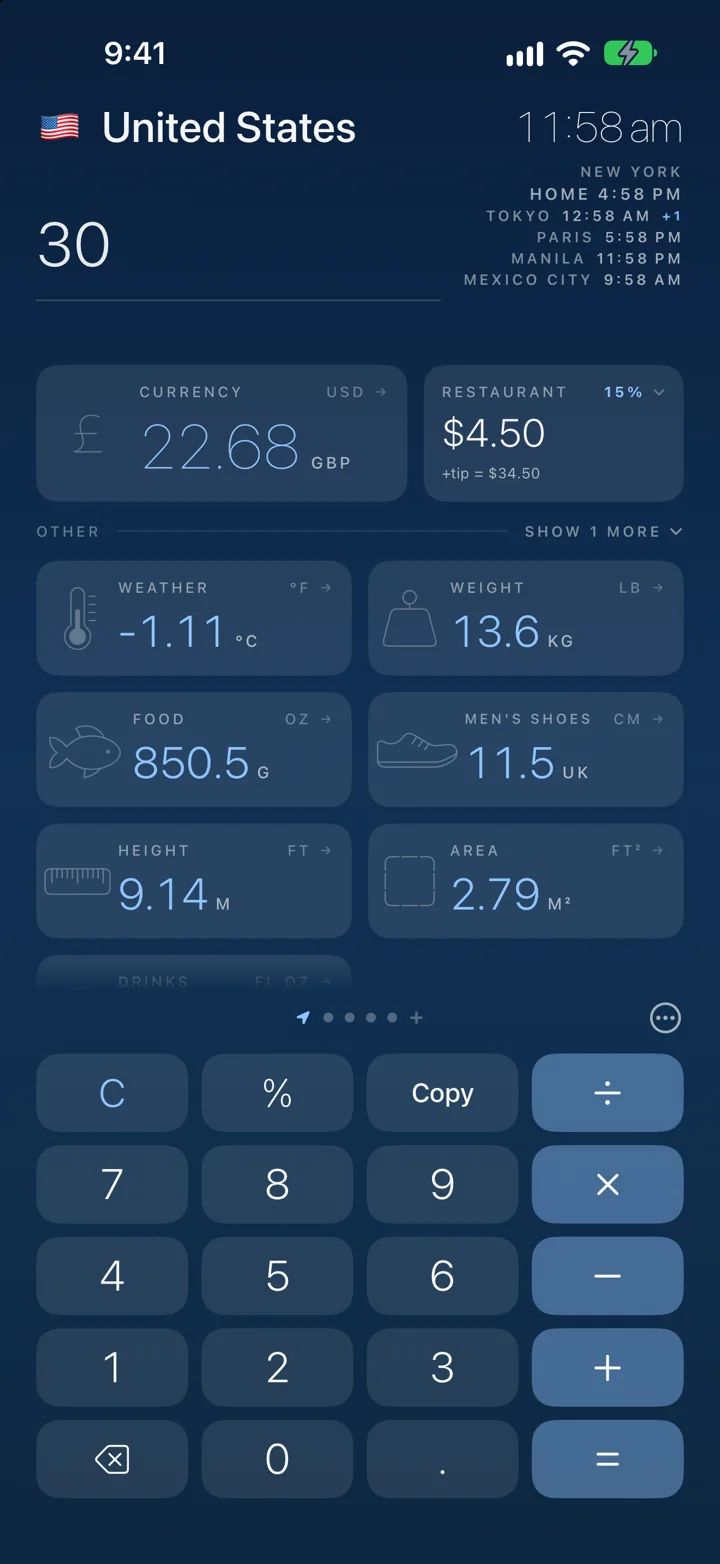
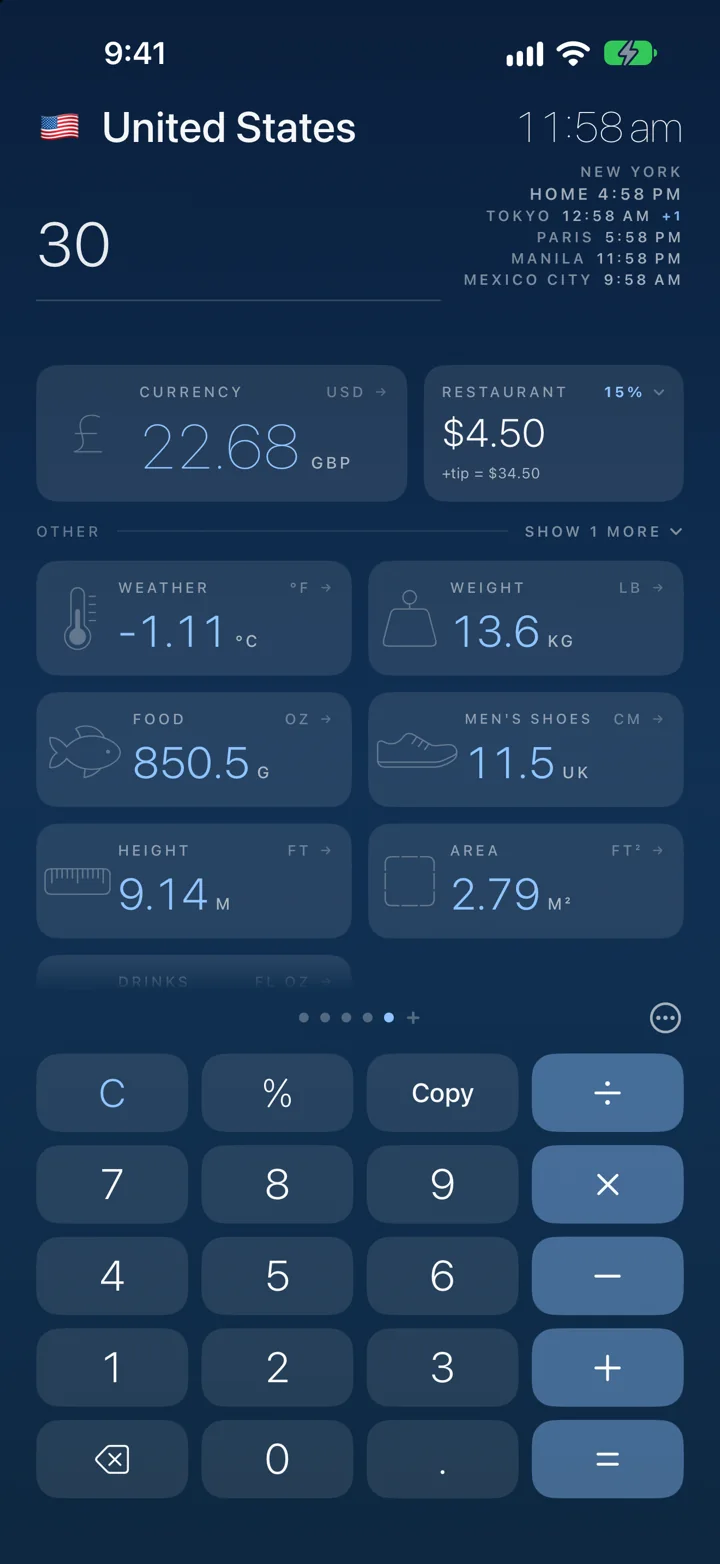
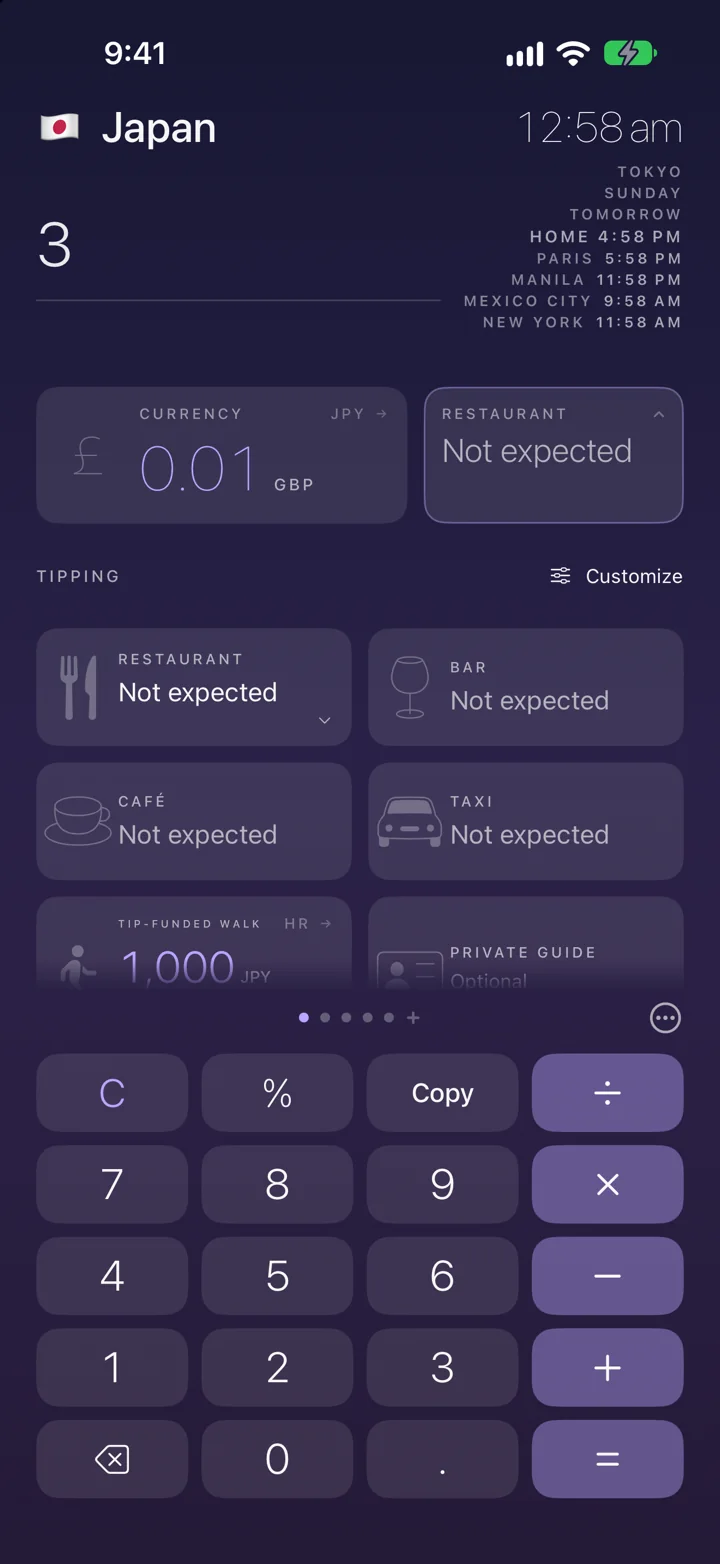
Every unit at once. €30 is also 86 °F, 18.6 miles and 66.1 lb.
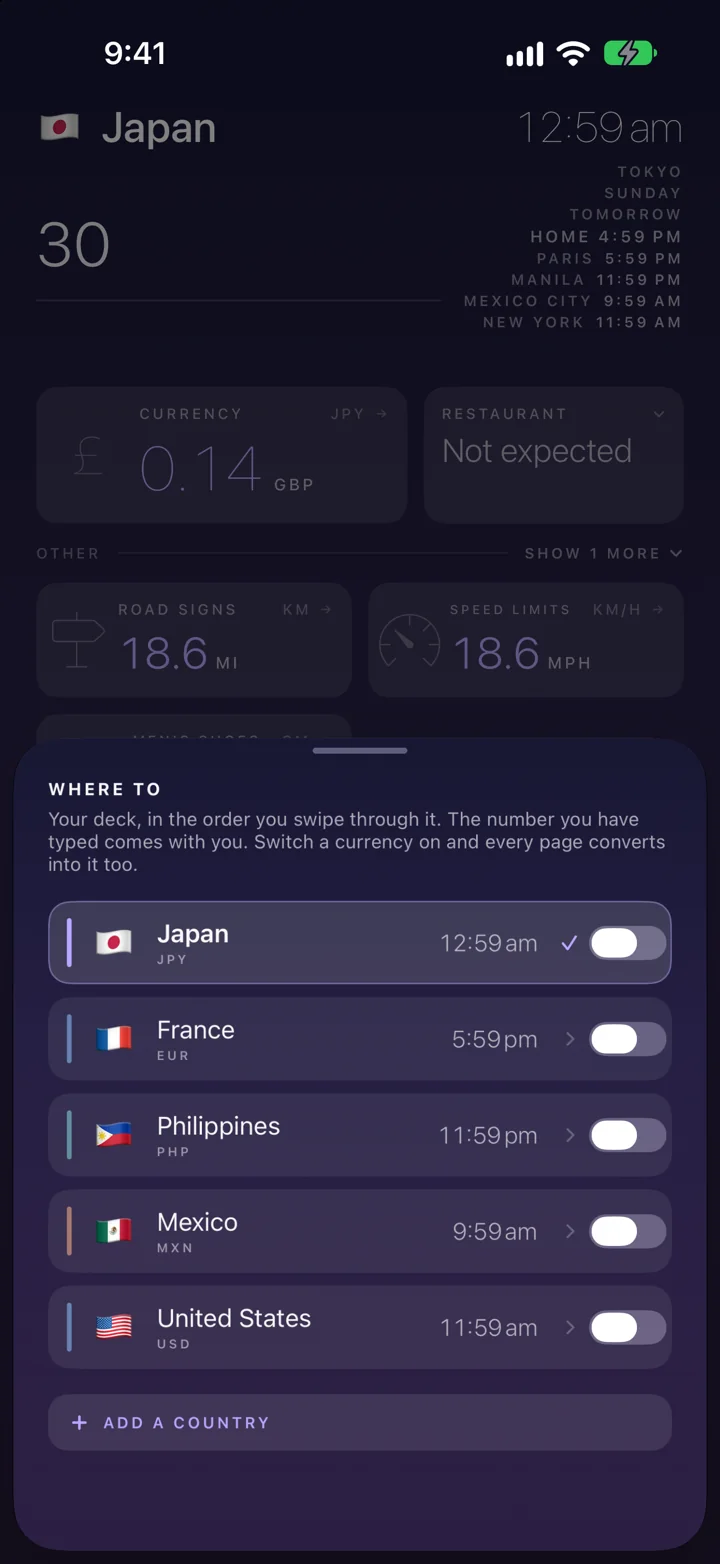
Swipe to another country and the number comes with you. No retyping.
What to tip here, and whether service is already on the bill.
152 countries, each with its own colour.
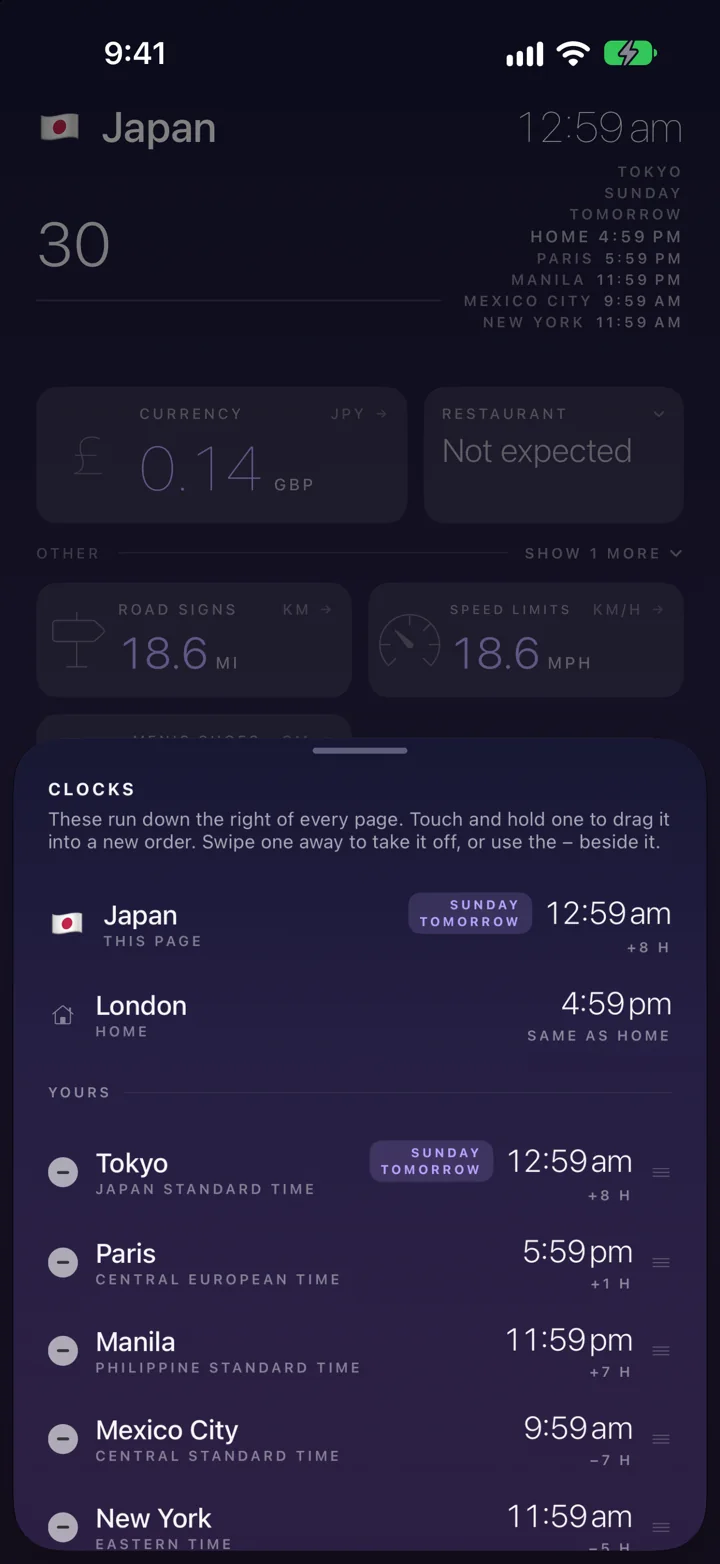
Here and home, with the day difference.
Exchange rates
Every figure says where it came from.
A converted number with no provenance is a rumour. Convert Once fetches a live rate when there is signal, keeps the last good table when there isn't, and carries a rate table compiled into the app itself — so it answers on the very first launch, on a plane, with no network it has ever seen. Whichever of the four you are looking at, the app says so, and says how old it is.
Fetched just now from a public rate feed. No key, no account, nothing about you in the request.
The last table it managed to fetch, stamped with the time it arrived. What you get in a basement or on a train.
Compiled into the app. Means a brand-new install works at 38,000 feet before it has ever touched Wi-Fi.
The rate you were actually given at the counter, typed in by hand. It outranks all three of the above, permanently.
The magnitude rule
It drops the readings you cannot have meant.
One number answering every unit only works while the answers stay readable. Nobody types 1,500 and means degrees. So every tile is graded against the size of the number — not a guess about you, a statement about the physical world — and the ones that are not a real thing at that scale get out of the way.
Thirty is a price, a temperature, a speed limit and a shoe size — all at the same time.
Tipping
Travel advice, not arithmetic.
A 20% button in Tokyo teaches the wrong thing. Convert Once carries the actual custom for all 152 countries — including whether a service charge is already on the bill, and whether tipping would be an awkwardness rather than a kindness. Tour guides get their own entry, because a guide's custom is frequently the opposite of the restaurant's.
Before you plug in.
Compare plugs and voltage with home. Read the caution once, then keep the advice within reach.
See local outlet types and compare voltage and frequency with your home country. Read what to check on phone and laptop chargers, hair tools and travel adaptors, plus hotel USB charging tips. A clear caution appears when the local voltage may be higher. Close it after reading; a small caution symbol keeps the advice available.
Power advice is general travel information. Always check your equipment's INPUT ratings and manufacturer instructions. A plug adaptor changes the connection, not the voltage. Outlet availability varies by hotel.
Download on the App Store ↗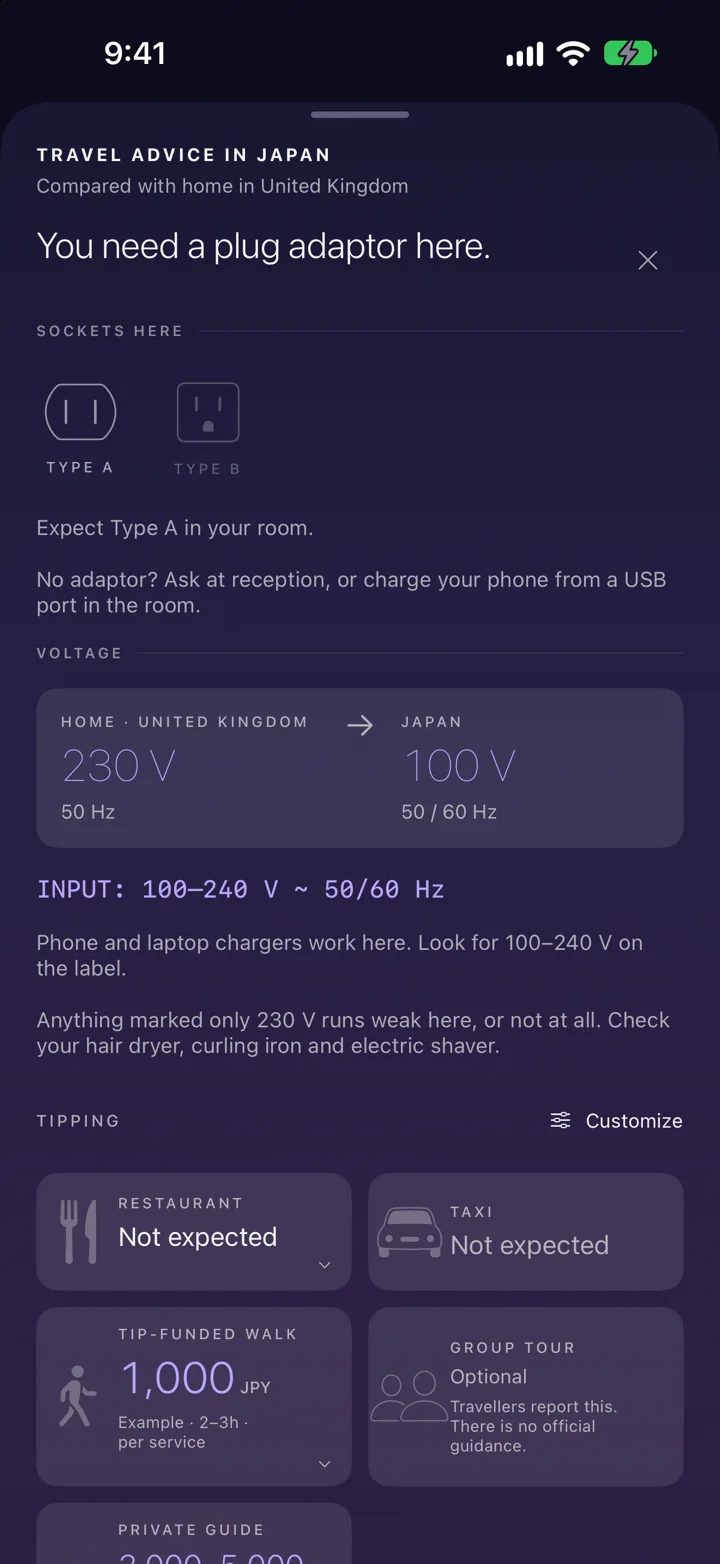
The rest of it
Built for the moment you are actually in.
Your language, your home, any currency
The app speaks your language and writes numbers the way home writes them — whichever currency is on the page. Swipe from yen to pesos and nothing about you changes.
It opens where you are
One location fix per launch, on the device, to work out which country you are standing in. Never stored, never sent anywhere — and it never changes your home.
Set a rate yourself
The rate on the airport board is rarely the rate you were given. Type in the one you actually got and it outranks every source, for that currency, until you clear it.
Two minutes and the number goes
A price typed before the phone went into your pocket is one you have walked away from. A stale figure over the keypad is worse than an empty one.
Both clocks
Here and home, side by side, with the day difference — because the question is never “what time is it there”, it is “can I call them”.
Ask without opening it
Siri, Spotlight and the Shortcuts app answer conversions, rates and tipping. Put it on the Action button and it is one press from anywhere.
Know the time at home before you call.
Home time and the exchange rate, without opening the app. The rate for wherever you are, how old it is, and what tipping means there — on the home screen and the lock screen.
Price
One payment. Not a subscription — nothing renews, and there is nothing else to buy.
Two weeks free — plenty of time to realise how much you'll use it, even in your home country.
The App Store shows the price in your own currency, which is the only figure that would be right for you. We are not going to quote a dollar number at somebody who pays in pounds.
iPhone and iPad · iOS 18 or later